12 TLS Handshakes and Ports
Introduction
In this chapter, you’ll map the networking pieces that surround Heartbleed: ports, the OSI model, sockets, and the broad shape of a TLS handshake. We won’t turn this into a full cryptography course; we just need enough structure to understand the code we’ll write next.
Computers tend to be very proper. When a computer meets a server for the first time, it will very often attempt to shake its hand. Hidden from the human eye, that handshake lets the two computers negotiate how they’re going to communicate.
Concepts Covered
- TCP ports and why HTTPS commonly uses 443
- Where sockets sit compared with application protocols
- The broad stages of an SSL/TLS handshake
- How Client Hello and Server Hello messages fit into the flow
Why This Matters
When exploit code looks mysterious, the missing piece is often protocol context. Knowing which layer you’re working at makes the Python code feel much less like magic and much more like structured input and output.
Objective
Describe the TLS handshake at a high level and identify the port and protocol pieces the later notebooks will parse.
Ports and Services
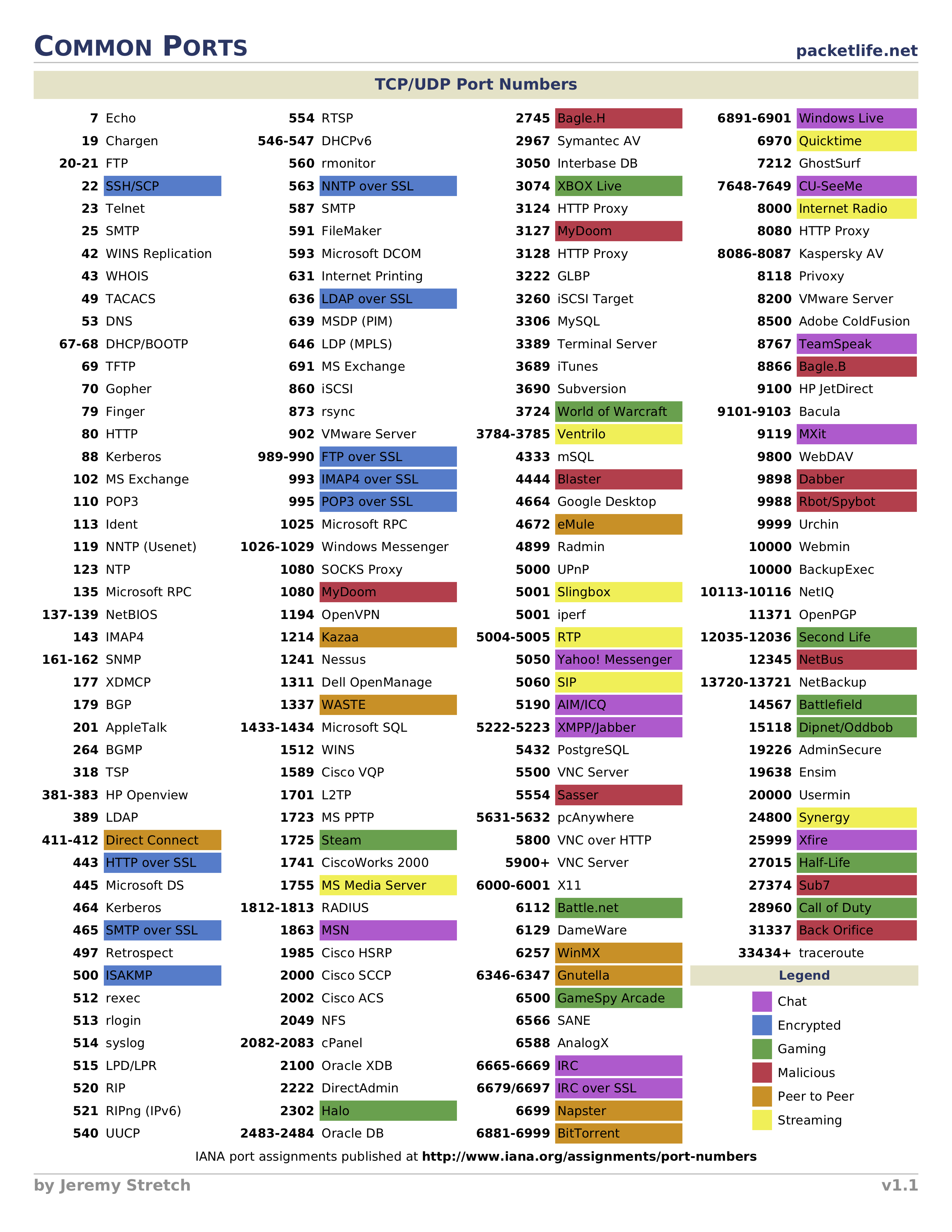
Aside from a town with a harbour or access to navigable water where ships load and unload, a software or network port is a location where information is sent. TCP ports help a client find the right service on a host.
The IANA service name and port registry is the primary registry for well-known service names and transport protocol ports. HTTPS commonly uses TCP 443, but TLS can protect many different application protocols.
| TCP port | Common TLS-protected service |
|---|---|
| 443 | HTTPS |
| 465 | SMTPS |
| 636 | LDAPS |
| 993 | IMAPS |
| 995 | POP3S |
If you can’t recognise every port in this table yet, that’s completely fine. You just learnt a bunch of new ones.
Sockets and TLS Handshakes
Sockets sit lower than HTTP. HTTP is an application protocol; a TCP socket is the two-way byte stream underneath it. Heartbleed lives down near that byte stream, which is why this project uses Python’s socket and struct modules rather than a friendly HTTP client.
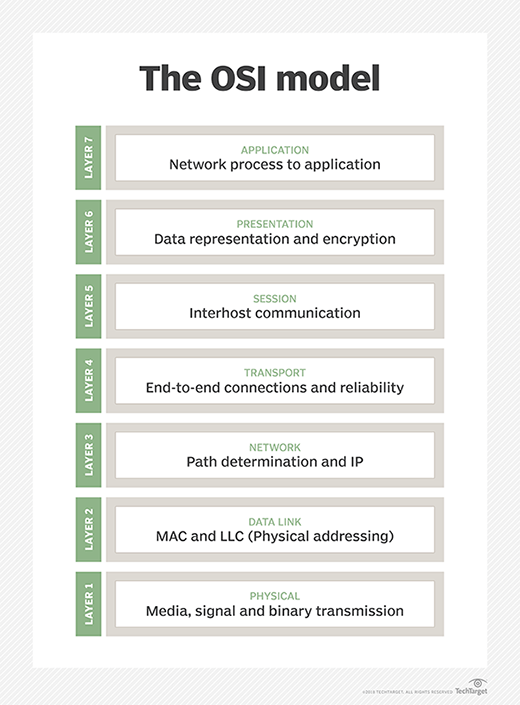
In the OSI model, HTTP belongs up in the application layer, while sockets sit closer to the transport layer. You don’t need to become an OSI scholar here; the point is that requests.get() is too high-level for the thing we’re trying to understand.
Before a TLS client and server exchange protected application data, they negotiate how they’ll talk: protocol version, cipher suites, random values, certificates, and shared secrets. RFC 5246 specifies TLS 1.2, which is the historical context for the original Heartbleed examples.
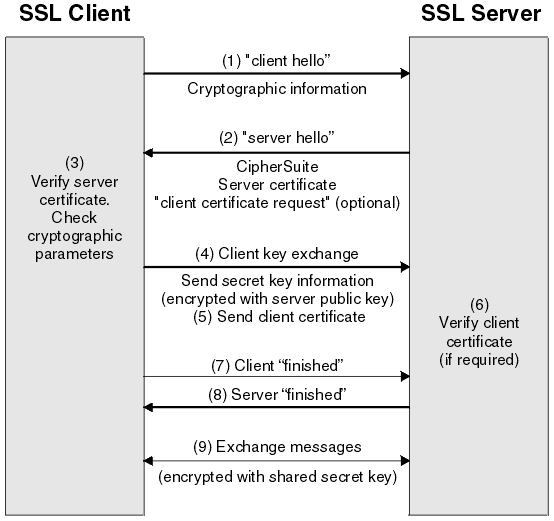
A simplified TLS handshake looks like this:
- Client Hello: supported versions, cipher suites, and random bytes
- Server Hello: selected settings and server random bytes
- Certificate exchange and verification
- Key exchange and finished messages
- Encrypted application data
This chapter doesn’t aim to give byte-by-byte coverage of every handshake message. It gives you the general shape so the later bytes have somewhere to live in your head.
Checkpoint
Explain why this project reads and writes bytes through a socket-shaped fixture instead of using requests.get(). Include the words socket, HTTP, and TLS record in your answer.
If your answer sounds like “because Heartbleed happens below the friendly web-client layer”, you’ve got the right idea.
Extension Activity
Look up one TLS-protected service from the IANA registry that isn’t HTTPS. Write down its port number, the service name, and why a security tool might care about recognising it.