In this chapter, you’ll take the old Client Hello hex dump and turn it into bytes Python can send. This is where strings, bytes, hexadecimal notation, file reading, and endianness start to matter in a practical way.
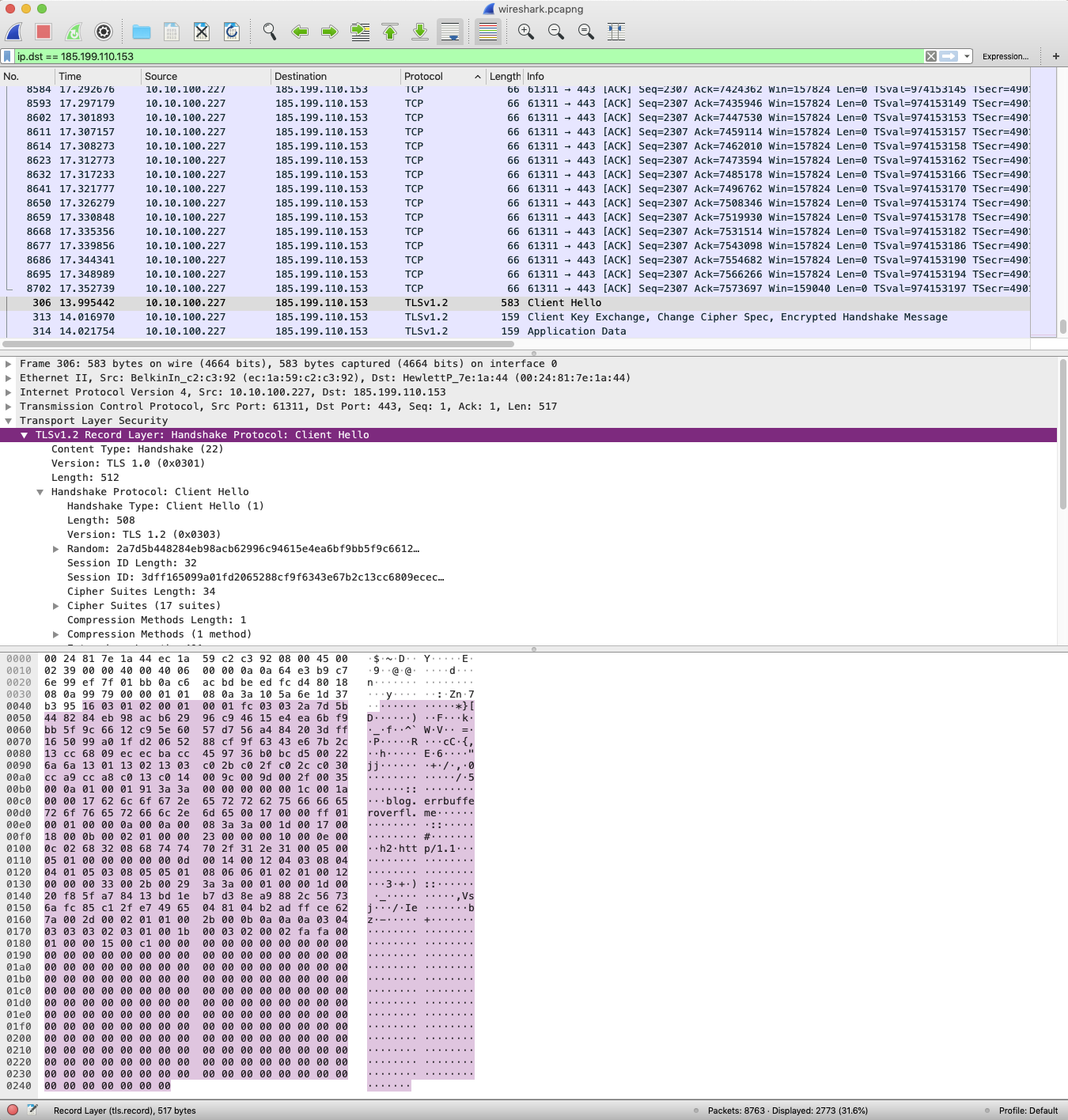
The original workshop showed a Wireshark capture from my computer to my blog. You don’t need to understand every value in that capture to understand Heartbleed, but it helps to see that network protocols are made of small fields with very specific jobs.
Most protocol work is careful translation. Humans like annotated hex dumps; sockets want bytes. Learning to move between those views is a core skill for debugging network tools.
Objective
Load the Client Hello fixture, convert it to bytes, and inspect the fields that make up the first TLS record header.
Client Hello as Bytes
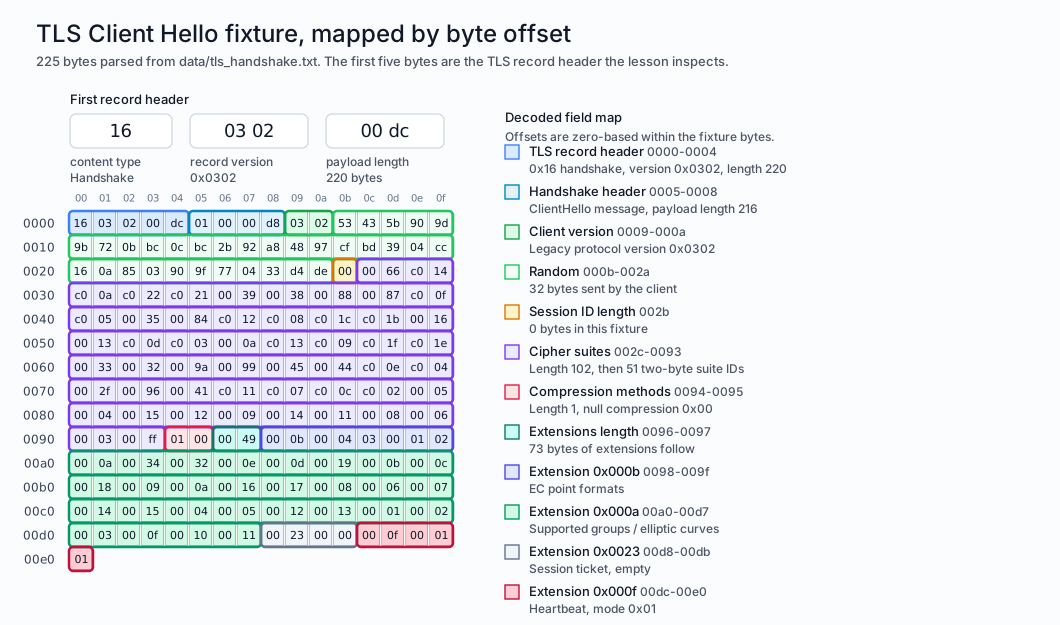
Here’s a vector view of the Client Hello fixture. You don’t need to memorise the fields, but it helps to see that every tiny hex value has a job.
Annotated TLS Client Hello bytes
Wireshark is still brilliant for exploring this kind of traffic in an authorised lab capture. It lets you see the request your computer makes and inspect what each hexadecimal value is or represents.
Load the fixture text from the repository instead of pasting a giant hex string into the cell.
2
Convert the human-readable hex dump into a bytes object that socket code can send.
3
Check that our parsed fixture matches the canonical helper used elsewhere in the course.
Client Hello length: 225 bytes
First five bytes: b'\x16\x03\x02\x00\xdc'
Those first five bytes are the TLS record header:
16: content type, which means handshake
03 02: TLS version used by this old example
00 dc: payload length
Here’s what’s happening: the file contains a string representation of hexadecimal values, not the raw bytes themselves. Before socket-shaped code can send it, we’ve got to clean that text and decode the hexadecimal into bytes.
Endianness
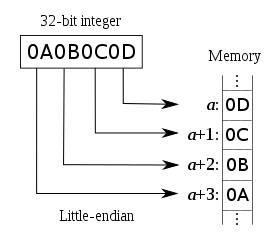
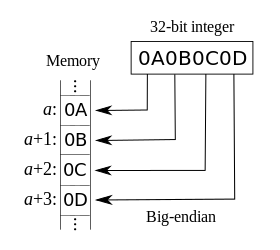
The length is stored in network byte order, which means big-endian. Big-endian stores the most significant byte first; little-endian stores the least significant byte first.
Short version: endianness is the direction we read a number when that number takes up more than one byte. Of course there’s more to endianness than “things in different orders”, but for now all you need to know is this: endianness is important, and for network protocols we usually want big-endian.
Big-endian starts with the big end. 00 dc is read as 0x00dc, which is 220.
Little-endian starts with the little end. The same two bytes would be read backwards as 0xdc00, which is 56320.
If a value is only one byte long, endianness doesn’t matter. There’s no second byte to put before or after it. Endianness starts to matter when a field is two bytes, four bytes, eight bytes, and so on.
ImportantRemember this
When Python uses native byte order, it follows the machine it’s running on. When you’re doing protocol work, avoid guessing and make the byte order explicit. In Python’s struct format strings, < means little-endian, > means big-endian, and ! means network byte order, which is also big-endian.
Little Endian
Diagram of how a 32-bit integer is arranged in memory when stored from a register
Big Endian
Diagram of how a 32-bit integer is arranged in memory when stored from a register
Slice out the two bytes that represent the TLS record payload length.
2
Interpret the length the way TLS records expect: network byte order, or big-endian.
3
Interpret the same bytes the wrong way so the difference is visible.
220
56320
The big-endian value is the one we want for TLS records. Python’s struct module gives us a compact way to unpack fields like this, which we’ll use in the next chapter.
This is a good moment to pause and ask: if the same two bytes can mean two very different numbers, where should your program learn which interpretation is correct? The answer is always the protocol documentation, not vibes.
Checkpoint
Load the Client Hello fixture and explain what the first five bytes represent. Your answer should identify the content type, protocol version bytes, and payload length.
Then check the payload length in both byte orders. If everything went the way we expected, one answer should look sensible for this fixture and the other should look wildly wrong.
Extension Activity
Use int.from_bytes() on another two-byte slice from the Client Hello. Compare the big-endian and little-endian interpretations, then explain why protocol documentation must say which byte order to use.